Self-hosted church management software
Your church website is your church management software.
Chimes puts the public website, the member portal and the office's records in one system, on a server your church controls. You buy it once, you get the source code, and your congregation's details stay with the church.
One address, three doors
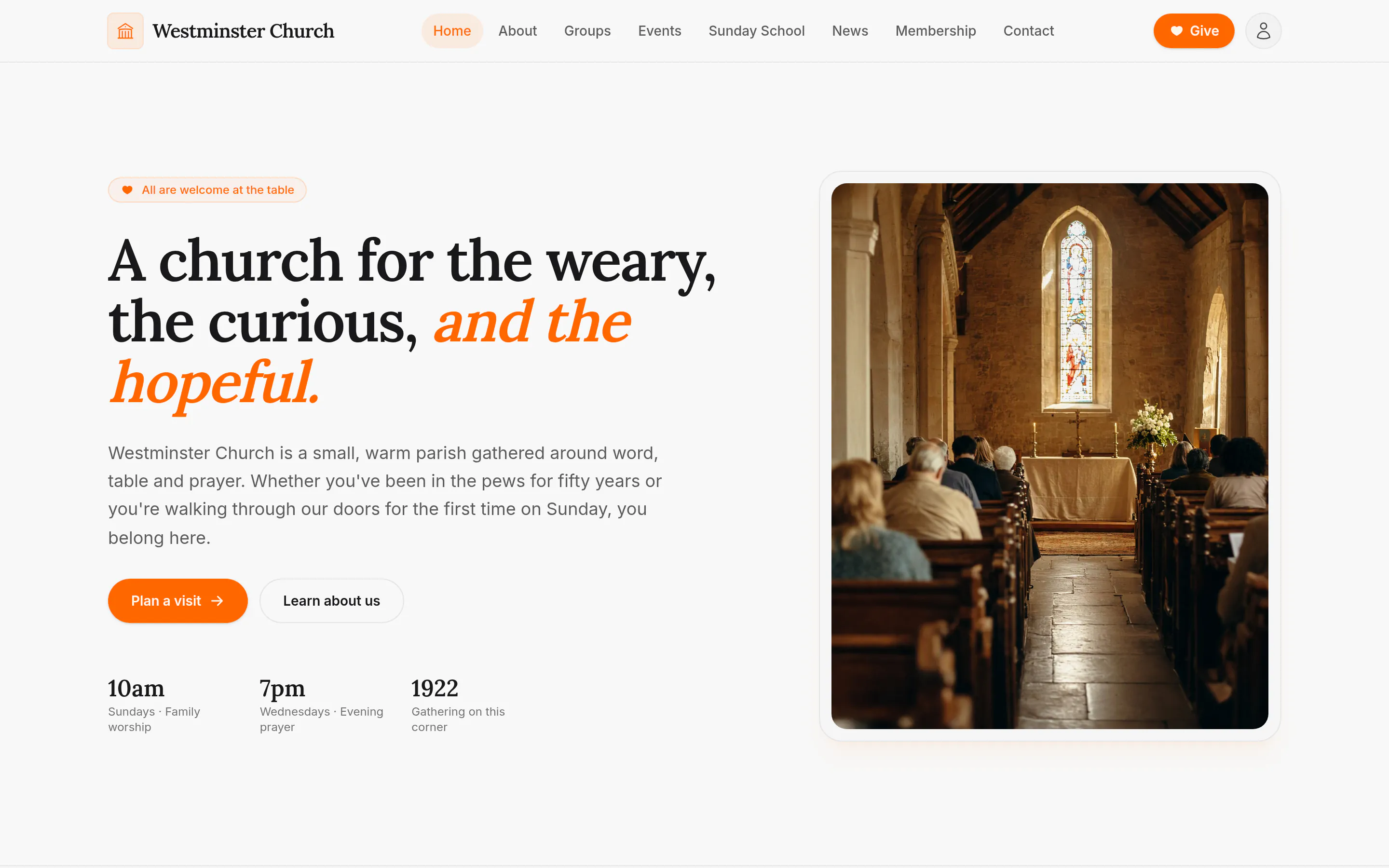
For visitors. Service times, events with online registration, news, a membership application and a giving page anyone can use without an account.
See its features arrow_forward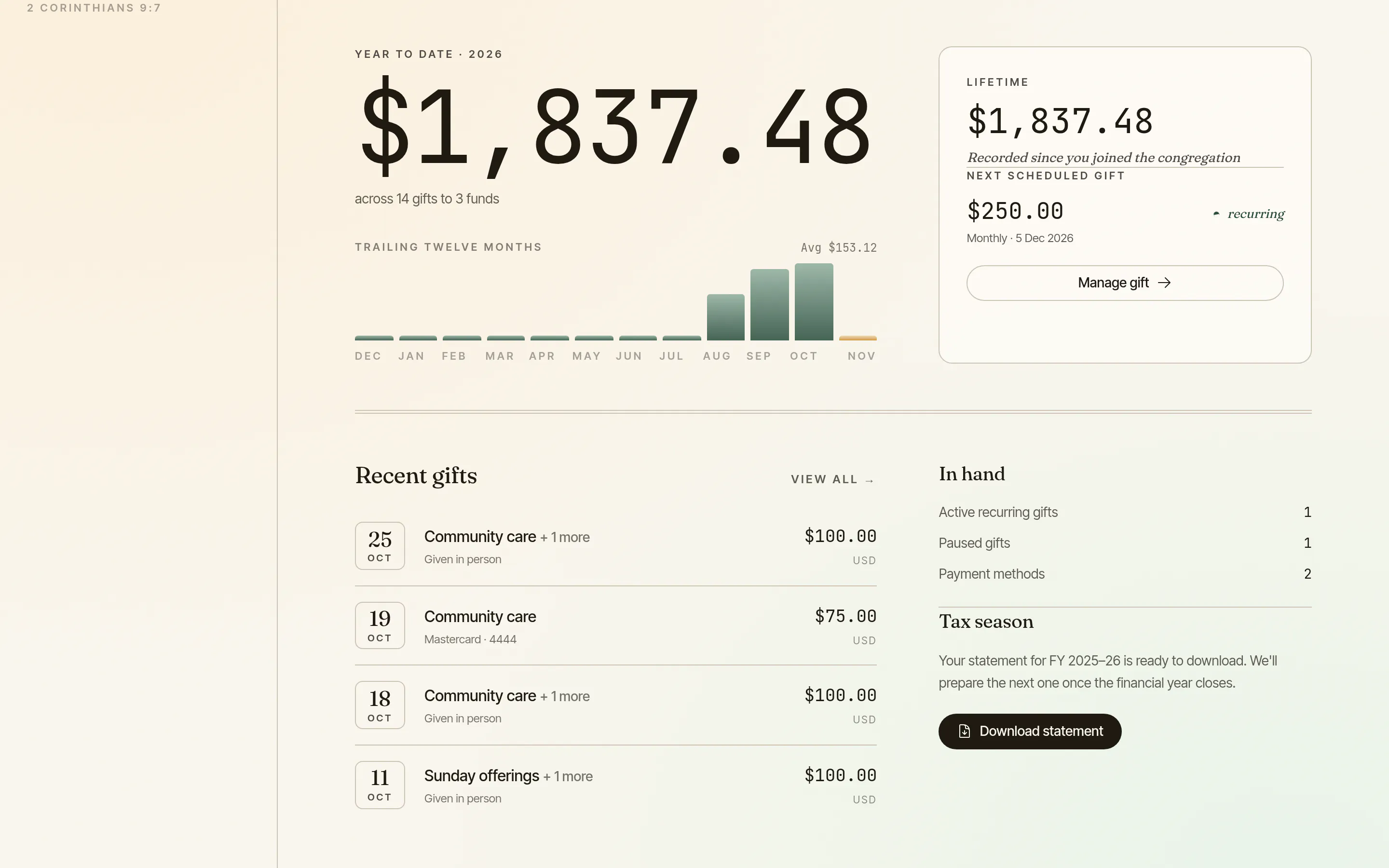
For your congregation. Members keep their household up to date, give and download statements, raise requests, enrol children in Sunday school, join groups and answer the roster.
See its features arrow_forward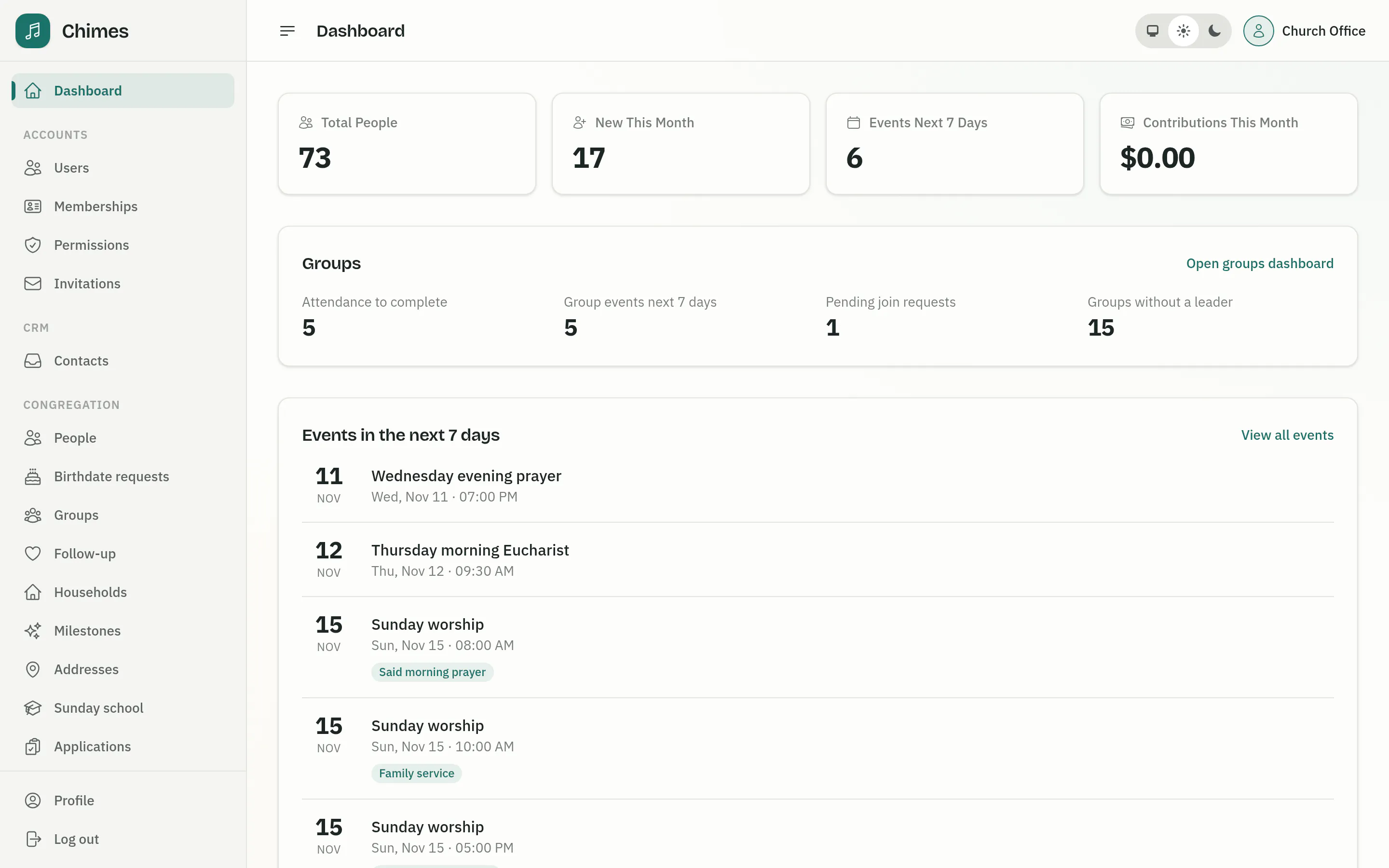
For clergy, staff and volunteers. The office's working surface: the directory, applications, funds and giving, the calendar, service planning, pastoral care, check-in and the audit log.
See its features arrow_forwardThere is a fourth door for your other systems: a token-authenticated JSON:API over the same records, where each token can do only what its owner may.
What changes when the church owns its software
Most church software is rented by the month and runs on the vendor's servers. Chimes is bought once and runs on yours.
-
Your website is the management software
Service times, events, giving and the membership form are pages of the same system the office works in. Someone who registers on the website is already a record in the directory, so there is no second system to keep in step.
See the church website arrow_forward -
You own it, source code included
Each church gets its own copy of the source code in a Git repository. Add a feature, change a form or hand it to any developer you trust. Nothing is locked away.
How customisation works arrow_forward -
Owning costs less than renting
The licence is $995, once, and a server costs about $12 a month. For a church of about 200 that comes to $1,715 over five years, plus email, against $11,820 in subscription fees for a comparable suite.
See the worked comparison arrow_forward -
Your congregation's details stay with the church
One database, on a server the church controls. It is not shared with other organisations and nobody outside reads your membership roll. Only what a card payment, an email or a text needs in order to be delivered leaves it.
-
Nothing changes until you choose
Chimes does not update itself. A new release is brought in on purpose, when you are ready for it, so the giving page works on Sunday the way it did on Saturday.
Upgrades and support arrow_forward
Everything a church office runs on
Nine modules, and every church gets all of them. There are no add-ons and no higher tier.
People & Households
Person records, households, relationships and milestones from baptism to funeral, with groups members can join for themselves.
See it in Chimes arrow_forward how_to_regMembership Applications
A household applies on the website, the office works it through your own steps, and approval creates the people in the directory.
See it in Chimes arrow_forward volunteer_activismGiving & Funds
One-time, recurring and text giving through your own Stripe account, split across named funds, with cash and cheque entered in batches.
See it in Chimes arrow_forward calendar_monthGatherings, Events & Volunteers
Weekly services and dated events, attendance, paid registrations, volunteer rosters and service planning several Sundays ahead.
See it in Chimes arrow_forward support_agentPastoral Care & Requests
Baptism, marriage, prayer, hospital visits and more, each assigned, followed with care notes and kept on a timeline.
See it in Chimes arrow_forward child_careSunday School & Child Check-in
Classes, enrolment and registers, with check-in by room, printed tags and pickup only by approved adults.
See it in Chimes arrow_forward campaignWebsite & Announcements
The public site, news with an RSS feed, a contact inbox, and email announcements to groups or filtered lists.
See it in Chimes arrow_forward receipt_longStatements & Reporting
Giving statements for one member or the whole congregation at year end, as PDF and CSV, on your own financial year.
See it in Chimes arrow_forward admin_panel_settingsRoles, Permissions & Audit
Six roles with permissions per resource, access that ends with a term of service, and a log of every change.
See it in Chimes arrow_forward
Why Chimes exists
It began with a priest's two questions
From 2016 to 2021 I worked on a donation management platform used by churches. Early on I met Father Jude. He asked whether the software that managed a church could also serve its website, and he was not comfortable with details of his congregation leaving the church for another organisation's servers.
There were plans there for a church management product, but it was never built. When I left in 2021 I started building my own, to answer both of his questions.
I live in Sri Lanka. Here, and across much of the region, a subscription that never ends is more than most congregations can afford. That is why Chimes is sold once, at the lowest price I can manage: I want it within reach of as many churches as possible.
Father Jude asked me to make it available to every faith. My research so far has been with churches, so today Chimes is church management software, and its records, milestones and requests follow church practice. I intend to extend it to other traditions, and I welcome any person or group who wants to help shape it for theirs.
Ziyan Junaideen, who builds Chimes
Dull where it counts
Church records have to outlast the people who keep them. Chimes is built on well-worn technology that whoever inherits it can understand. The only outside services it needs are Stripe to take gifts and Postmark to deliver email, both on accounts in the church's name.
- One application, one database
- Built on Elixir and PostgreSQL. It is comfortable on a modest server and calm under a Sunday-morning spike.
- Background work that retries
- Email, announcements, reminders, the calendar and statements run as queued jobs, so a failed delivery is tried again.
- Encrypted configuration
- Credentials are stored encrypted beside the code. The key that opens them stays on your machines.
- Abuse protection built in
- Sign-in, password resets, public forms, online giving and the API are rate limited before any email is sent or card is charged.
account_balance Gifts settle into the church's account
Giving runs through the church's own Stripe account, on credentials the church holds. A gift moves from the donor to your bank without passing through a platform that takes a cut of the offering or holds the money.
From first conversation to handing you the keys
What each step involves, and what you will need arrow_forward-
Consultation
How your church is organised, and where its records live today.
-
Deployment
The application, database and certificates set up on a server you own.
-
Configuration
Roles, funds, service times, branding and your existing records brought in.
-
Handover
Your office team trained, the runbook written, and the keys handed to you.
Buy it once. Run it for as long as you like.
- check Unlimited people, households, funds and gatherings
- check Every module, the website and the member portal included
- check Hosted on your own server, with the source code
- check No per-member, per-seat or per-gift platform fee
You provide the server and the Stripe and Postmark accounts. Hosting, domain, processing and email are paid straight to those providers at their rates, never marked up.
What the licence covers, and what it does not arrow_forwardBase Software Package
One-time licensing fee for the standard Chimes deployment.
Customization: $30/hr
For bespoke features, custom integrations, data migration, server maintenance or specialized training.
Interested in Chimes?
Tell me about your church: its size, how you keep records today and where you would like it hosted. I will come back with a deployment plan and a straight answer on what it will take.